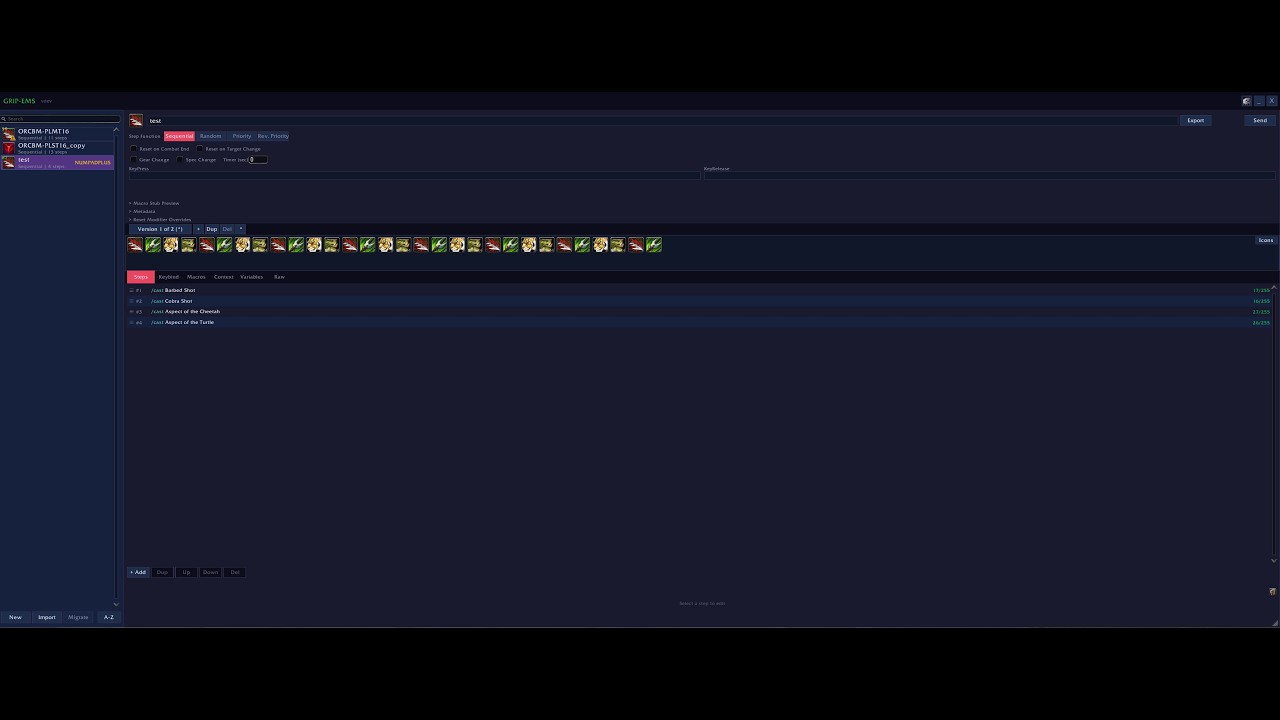
Yeah it’s literally just paste the export string and hit import. Steps, variables, icons, all of it comes across.
The macro runs the same as before, same steps same logic. What changes is that EMS actually tells you stuff about it that you couldn’t see before.
Biggest thing is probably the speed. It reads your latency and GCD in real time and just tells you how fast to click. It also adjusts your SpellQueueWindow on the fly based on your actual connection instead of whatever static number you set once and forgot about.
The other thing you’ll notice pretty quick is after a patch. Blizz renames or shuffles spells around and your macro just silently stops working right. EMS scans every step and shows you which ones broke so you’re not sitting at a target dummy trying to figure out what happened. Most of it you can fix in one click.
And then there’s context versions, which let the same sequence play differently depending on what content you’re doing. Like a different priority for M+ than raid than open world. You set it up once and it just swaps.
Could you elaborate as to what you mean with incorrectly?
Im on an English client, and I have done my best to support all language clients, but for obvious reasons I cant really test it properly.
The new version has fixed the text issues and does not edit macros. Where can I obtain existing macros for use? Alternatively, is there a method to convert GSE macros? I hope to see a tutorial on how to use them
There is a short youtube video with the basics, you can also use GSE strings in the ““Import”” Menu.
Our Discord is one of the ways to find EMS strings.
I think it would be better to build a separate website for communication. I have trouble accessing Discord. It often gets stuck on email verification. Alternatively, could we move the EMS strings to GitHub
Not within macro’s in the /macro menu, you are correct.
Since you asked this question, I am building out the IF action node system a bit more to make it more obvious, but in its core it is basically a conditional builder.
Thank you for your work and for sharing this. I dont know why but sometimes it deletes my sequence and my details addon resets to default. Is there some kind of incompatibility between these two addons?
will try to deactivate details and will let you know.
EDIT: tried disabling details meter addon. problem still occurs. not sure what is causing this.
The problem happens when i move to a new instance although not always it happens from time to time. I have to disable the addon and enable it again for the sequence to return.
v2.1.5 just shipped. Six fixes, all driven by real-world telemetry.
Hero-talent override spells
Soul Immolation, Eradicate, and other talented override variants no longer trigger the orange “needs attention” warning when used in sequences. The spell cache now registers each active override variant under its own name, and the validator stops counting known-but-not-in-spellbook spells as stale. Override re-translation also runs on every spell cache refresh now, not only on locale change – sequences that imported under one talent loadout and got reloaded under another kept stale names baked in until a locale flip or talent swap kicked things over. That gap is closed.
Mythic Plus /reload no longer breaks keybinds
A /reload mid-key used to leave sequences unbound for the rest of the run. The bootstrap keybind load got silently skipped under the addon-restriction lockdown that M+ keeps active for the whole key, and there was no retry path. Bootstrap now queues that load through the out-of-combat queue so it fires automatically when the lockdown lifts.
Smaller fixes
Opening EMS during combat or inside an M+ no longer throws ADDON_ACTION_BLOCKED. Garbage spell IDs (like {spell:3238019941}) typed into the macrotext editor or imported from corrupt payloads are rejected at the tagging step instead of crashing downstream.