My Logitech G502 X Lightspeed won’t run the macro. I have the GSE keybind set to the back quote key (it’s the one with the ~). It’s not connected to any other function in the game. Whether I assign the ` key to button 4, or created a macro and assign it to the button, it won’t run the macro. When I open chat and press button 4 I will see “`````````````````````````````”. Not sure what’s going on and any help is appreciated.
Hey @Jfarnumw,
What spec were you testing on? If you can try a different class to rule out that the GSE Import wasn’t corrupted.
Try this to help troubleshoot configuration:
Lmk 
I’ve tried it with both the Paladin Ret rotation and the Hunter Marksman rotation. Whenever I click mouse button 4 it doesn’t register it with GSE. Still will do “`````````````” in chat, though.
Also, I’m using the Logitech G Hub.
I’d avoid using that key and stick with number pad + instead. If your keyboard doesn’t even have a number pad, that’s a bonus—because we don’t really hit the key.
The key you’re trying to use—the backtick (`)—might cause issues. It’s often mapped to system or programming functions, which can lead to unpredictable behavior.
Just to clarify, you are seeing the gse sequences import, right? That’s really what I was trying to ask.
It imports. I can set it to keyboard keys and tap it multiple times to run the sequence. Not sure how I would even keybind it to numpad + without the numpad. I am using a tkl keyboard. I’ve tried x, g, and a few others. Creating a macro and assigning to button 4 or just assigning a key doesn’t work for any rotation
You said you’re using Logitech software, which should work fine — but I don’t use it myself. You’ll need to replace the “mouse button” with Num +, whatever mouse key you want to hold. It’s in the software settings somewhere, m8. Just dig around for key remapping or assignment.
So I have it set to Num + in GSE, mouse button 4 set to the Num + key, and I still have to click it to advance every time. It repeats holding it down in chat, but not for the sequence. And in game the mouse icon shows red whenever I hold the button down.
Something’s misconfigured. From what you’re describing — mouse button mapped to a key, spamming characters in chat but not triggering GSE — it sounds like the input is working at the OS level, but WoW (or GSE) isn’t recognizing it properly in-game.
The fact that it spams in chat confirms the keypress is happening — but GSE not responding points to a disconnect between input and macro execution.
With the WeakAura I shared, you should see the sequence name being triggered when you hold the key. If that’s not happening, GSE isn’t detecting the input as a valid macro trigger.
Here are a few things to double-check:
- The key isn’t overridden by any WoW keybindings
- Mouse software is sending a clean, raw key input — not a macro or script
- Uninstall GSE, delete in-game settings and reinstall the most up-to-date version
- There are no UI conflicts or combat lockdowns blocking macro execution
Since you’re able to click the icon and manually cycle the sequence, the macro itself is valid and imported correctly — so it’s not an issue with AutoSpec or the sequence file.
Sorry, I wish I could tell you exactly what the issue is but I’m unfamiliar with Logitech.
EDIT: You can always bind the sequences to, say, the E key or the 1 key. That way you bypass the mouse setup and Logitech config.
Maybe I am blind, but I dont see the import string anyplace.
Hey @Xero_the_Clown,
You can find the imports for your specific class and specialization in their categories here on WLM.
You can find a list of available specializations here
ah apologies. I guess when I looked into getting started I didn’t realize it left the Demo Lock thread. Though what you just linked shows Demo with no build, must be a typo cause i found it on the class thread. Thanks for the work. Gunna give it a go later.
1 Like
Just forgot to update the  status—thanks for the heads up.
Some solid improvements coming to the Demo build soon. I’m refining the trigger logic for Summon Demonic Tyrant, just working out the last details. (Tracking demons is a pain)
And working on demo is the worst because the imps just keep you locked in combat for so long ha
Hi. Great macro by the way!! where can i find the Resources wa showing the mouse clicks?
Is it possible to have macros without using modifiers?
Yes its possible but you cant get the most out of the spec with a one button sequence.
That said, I’ve been adding a “One-Button mode” to a few of them that you can ignore the modifiers.
You can find it here: Wago
Thank you very much sir!!
1 Like
Is there any way to remove the crazy mouse cursor thing? I looked through the all the settings for the WA, but honestly that’s a ton of stuff to dig through. You did so much work on this thing!
Also, can I get the cast bar back?
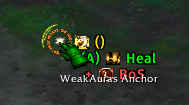
Hey @Gonk,
If you use the search bar in weakauras and search for “Cursor Feed” or “CT” (cursor text) you can disable some or all of the visual elements from appearing on the “Load” tab.
I don’t have a cast bar implemented in the weakaura so if yours is disabled it might be from another addon.