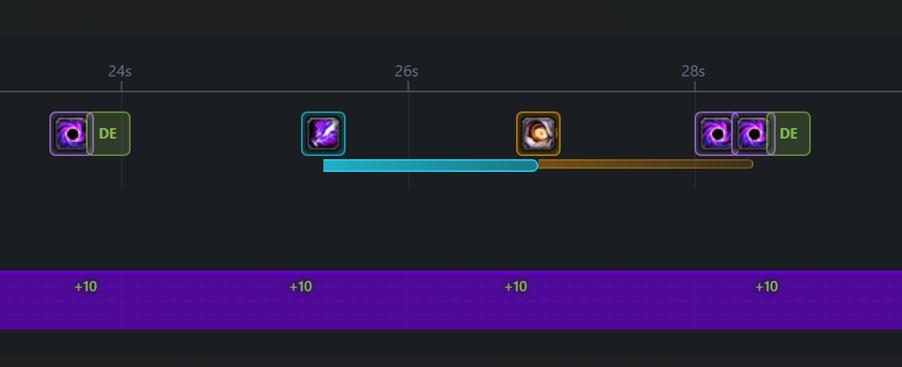
Answer #1: It couldn’t before, but just pushed an update. Hold a modifier key while viewing the timeline and your modifier spells render right on top of the priority rotation. Cooldowns are shared between both.
This feature is more for debugging and to help see the flow/rotation. There’s too many variables to keep up with. However, I’m impressed how far it hss gotten, I might be half way there hehehe.
Answer #2: On-use trinkets track cooldowns when you set them in the dropdown. Passive procs aren’t loaded automatically since most just give stat bumps that don’t change your rotation anyway. If there are some specifics, let me know and I can try to look into it.
Answer #3: Yep. Pulls cooldown data from the spell database. Abilities won’t cast if they’re on CD. For priority blocks, it picks the first available option, etc. I tried to debug as much as I could, let me know if I missed any. It should be better on the last update from today.
Latest updates:
Modifiers overlay for the timeline - hold Shift/Ctrl/Alt to see how your modifier spells fit into the rotation. What a ride…
Also added form/stealth support for classes that use them (Druids, Rogues, Priest, etc).
Spell data updated to Midnight expansion since it’s around the corner.
Polished up the UI a bit too.
Classic support coming soon.
I know it might not be for everyone, but I hope it helps a bit.
Like asked on my last post (waiting for approval when I’m posting this), the tool is probably checking for #spellID on some sort of cached database ? I did import the talent for Shadow Priest Void Weaver, no Void Torrent talented, but still getting some Void Torrent proc/casts during the simmulation
Hi there mate, just give it a test and it is really amazing to see the timeline flowing with modifiers, wow! The team is going top of the mountain with this tool.
But, you probably expect this from me at this point, may I ask you a couple ?
1 - The tool is considering the GCD and KeyPress GCD ? Just asking ‘cause GSE does that when you set the msclickrate, which may cause some overlaping over the rotation and also, if msclickrate too low, we end up on a gap without things to execute. I believe that is thing that causes most of the adjusting time for developers. I’m aware of the many variables, totally understandable if you say that it’ll not be there.
2 - GSE for times, brings from spellCache a #spellID different from what is on retail, it happens, not a biggie, we can add !spell to avoid that ok, but! The tool is considering #spellID or #spellRank here?
totally understand you here mate, no worries at all, I’m also trying to understand a bit better this tool, so I be able to know where the tool is at compared to the game itself. It is already a huge help for sure.
Yes, the “MS Rate” setting represents how fast you’re spamming the button, same idea as GSE’s msClickRate.
The rotation preview tracks:
Wasted Presses = the overlapping you mentioned, when you’re pressing faster than the GCD allows
GCD Uptime = shows gaps if your rate is too slow
There’s always more variables in game that we can’t account for, but hopefully this gives you a rough estimate to work with instead of pure trial and error.
2 - Spell IDs and Talent Gating:
Yes, the tool checks spell IDs against the database (extracted from SimulationCraft’s SpellDataDump).
Before, the talent system only applied talent effects to spells (cooldown reductions, spell replacements, cost changes, etc.) but wasn’t checking whether you actually had access to the spell in the first place. The new feature adds that availability check.
Just pushed an update that adds talent gating. The tool now:
Checks if spells require talents - If a spell needs a talent you haven’t selected, it gets skipped and shows a warning
Hero tree aware - Spells from the wrong hero tree get blocked (e.g., if you’re Voidweaver, Archon spells like Halo won’t cast)
For your Shadow Priest Voidweaver case, Void Torrent should now be blocked if you don’t have it talented, and you’ll see a warning showing which spells were skipped.
Try importing your talent string in the “Import Talents” field under the Rotation Preview section and let me know if it’s working correctly for you.
Note on data: The tool has moved to Midnight expansion data. Spell IDs and talent trees are now based on the Midnight PTR data extracted from SimulationCraft. If you notice any spells with incorrect IDs or missing from the database, let me know.
Hopefully that answers your questions. Let me know if anything isn’t working as expected or if you have more questions.
New tool added: Gear Check
Look up any character and see what’s missing - enchants, gems, sockets. Also shows tier set bonuses, embellishments, and talents (with copy button for in-game import).
Let me know if something looks off or missing! Suggestions welcome.
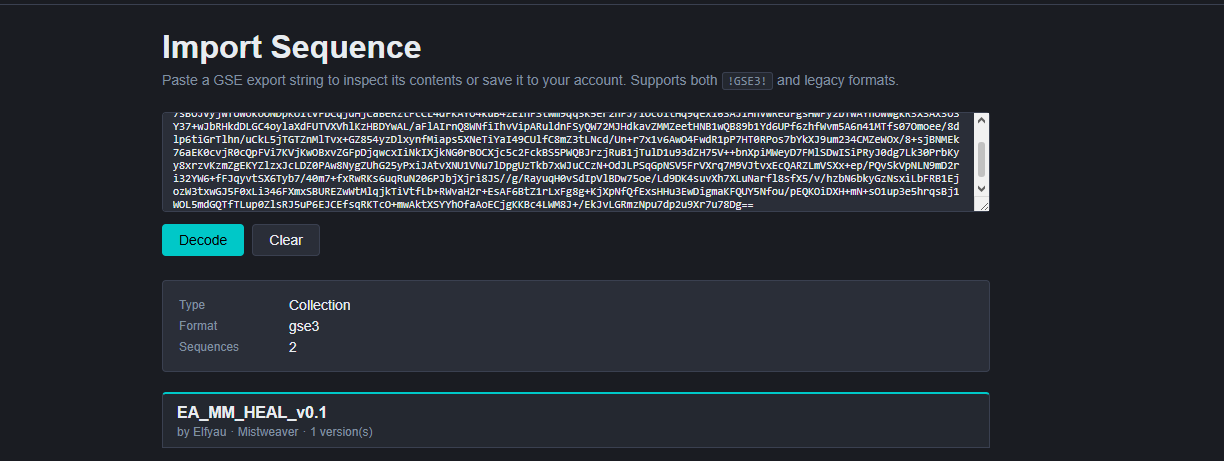
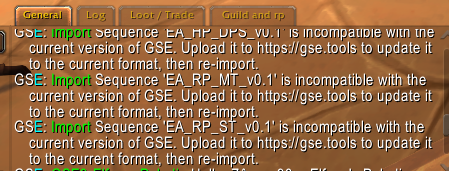
Hello there! So this is my issue with the GSE tool. Ive had to try and convert existing macros over to the tool to be able to use the macros that i was able to use before. the issue is this. When i try to import the macro in game with gse. it says its a macro mismatch and to try and import it to the tool. then reimport. Now when i do that. i can do it for some macros. the macros im not able to do this for would be the macros that would have multiple sequences such as if i was to use elfyau’s mistweaver macro for instance, it would allow me to decode but not actually save it for the tool so i could then import it into the game. Is there a fix or work around that would enable me to at least get part of the macro in so i can play those classes again?
in terms of coding, variables are way better but it consume a block of the sequence. If you set the “known” modifier at the very first line of the blocks you want to check for it, then GSE will fire it first over other written commands.